
 English
 Deutsch
1. Create an instance
After signing in, you will see the backend start page with the module tiles on the left.
Click the tile “ Instances”.
The list already contains one instance: “Default” was created during installation. It catches all domains that are not assigned to any other instance.
We will create a new instance for our website:
Click the button “ Create”.
Fill in the form as follows:
- Label: Camindo Architects
- Primary language: en_US
- Domain:
camindo-architects.localhost - Frontend protocol: http
Then save. The new instance appears in the list:
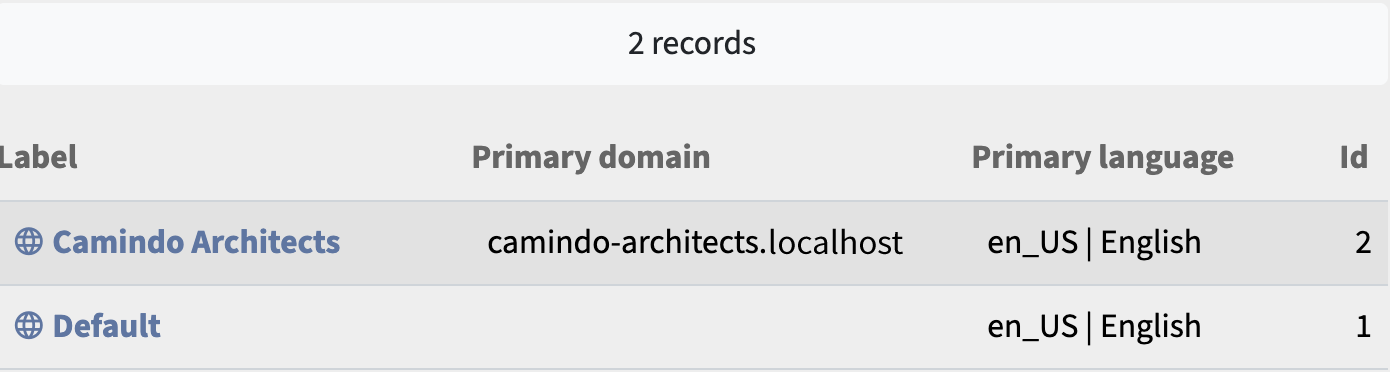
Locally, there is nothing else to do: The address http://camindo-architects.localhost is now answered by the new instance – for the time being with the error message “Error: Invalid request.”
If you are developing on a dedicated web server, use a subdomain of one of your domains, e.g.
camindo-architects.mydomain.com. This domain must also point to thepublicdirectory of the camindo installation. You can usually set this up in your provider's administration menu.