
 English
 Deutsch
VS Code extension for template programmers
The new extension “camindo CMS Templates” supports you when editing template files (*.cms.php) in Visual Studio Code:
- Colors –
(CMS:…)commands in purple, PHP expressions inside them in orange, just like the color highlighting in the camindo backend. - Suggestions – after
(CMS:the commands, after a space the parameters (mandatory parameters first), after=the fixed values. - Help on hover – description of the command and parameter.
- Syntax check – errors are underlined in red as you type: missing
), unclosed quotation marks, unknown commands or parameters (with a suggestion for typos), missing mandatory parameters. - Twelve languages – the descriptions follow the display language of VS Code.
Installation
- In VS Code, open the extensions on the left
 (or
(or ⇧⌘X/Ctrl+Shift+X). - Enter camindo in the search field.
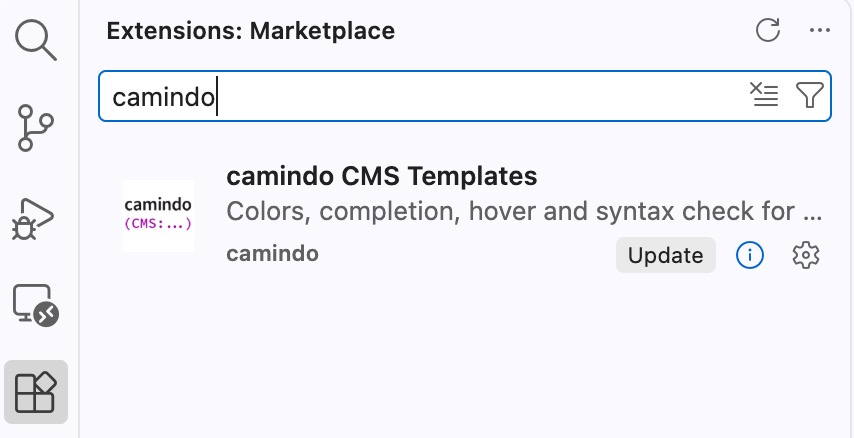
- Select camindo CMS Templates and click Install.

- Open a
*.cms.phpfile – done.
The language can be set with the setting camindo.language (e.g. de_DE). Projects with their own modules generate their command definitions via the CLI and enter the folder under camindo.commandsFile:
php Core/cron/camindo.php template commands --all --out=var/vscodeSource code and releases: github.com/dirkintelligence/camindo-vscode